 PDFnest
Everyday PDFs.
Made simple.
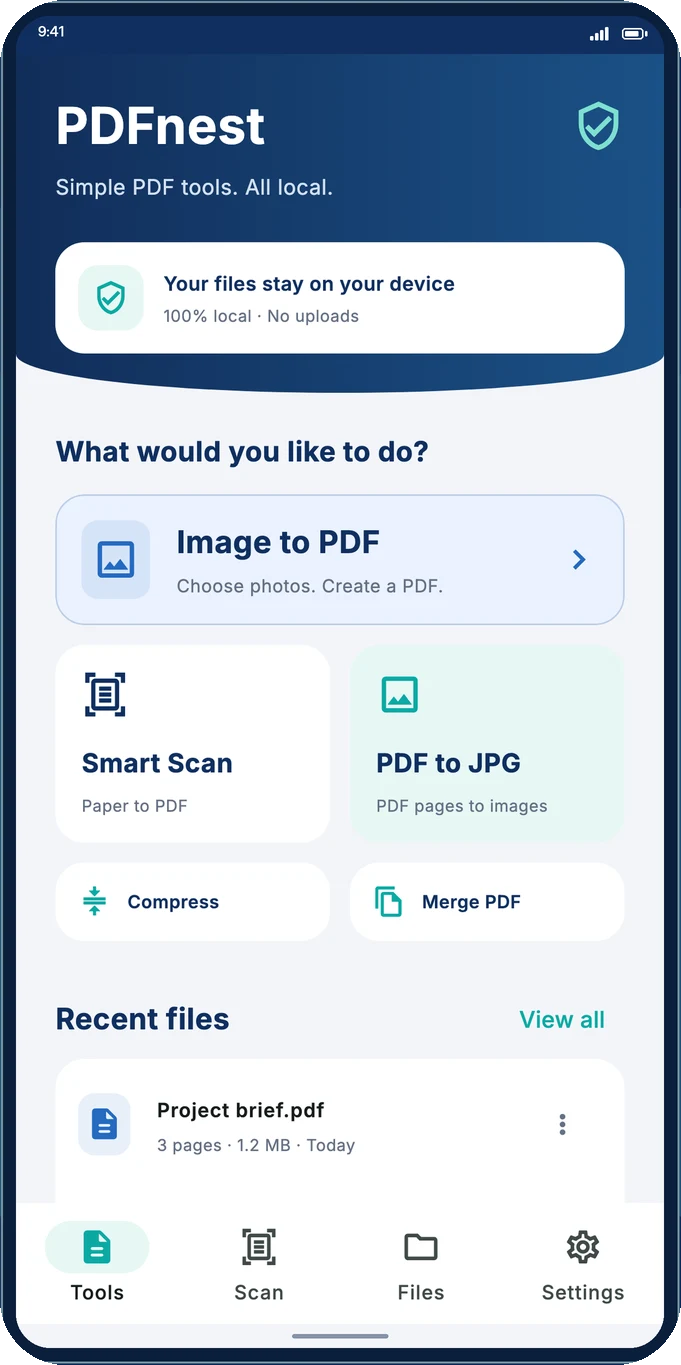
From a photo to a PDF. From a pile of pages to a little more order. Your everyday document tools, together in one Android app.
 YOUR DOCUMENTS. YOUR EVERYDAY TOOLS.
LESS FUSS. MORE DONE.
Make room for
the work that matters.
Receipts, meeting notes, a document to send.
There's a simpler way to get them ready.
 A closer look at PDFnest
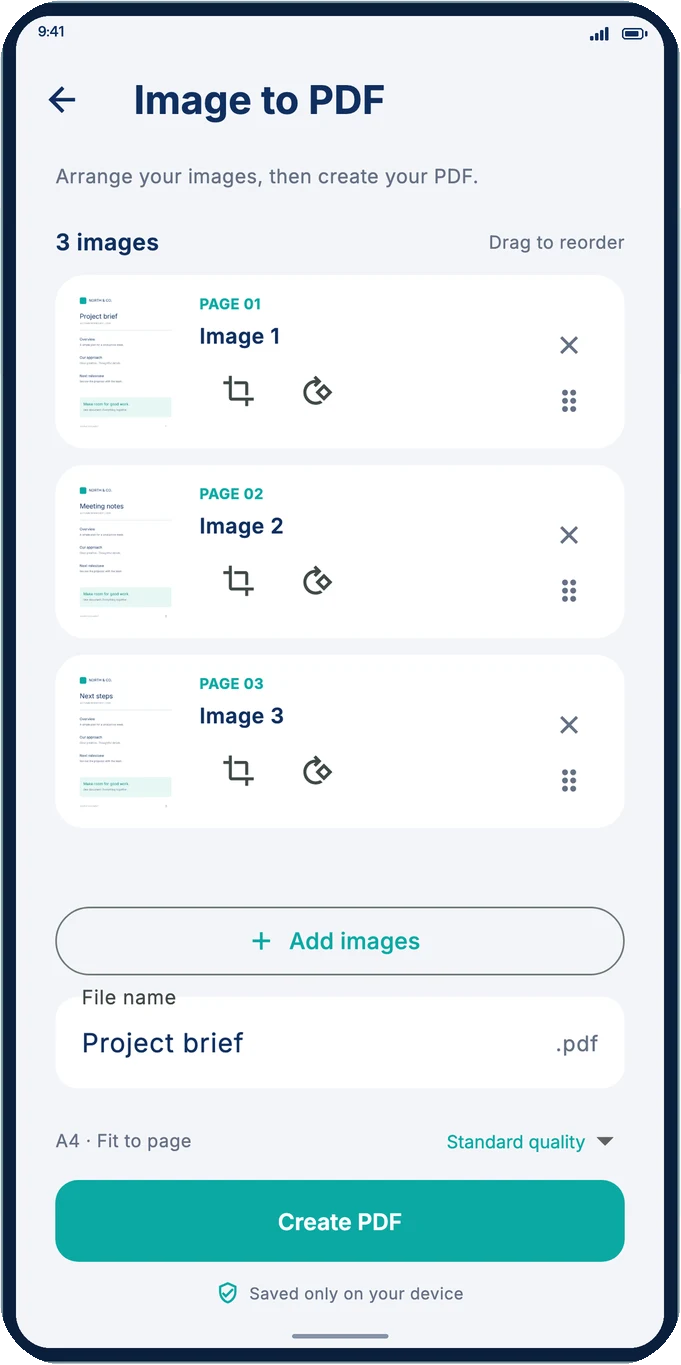
Bring your images together, arrange them in the right order, and create a PDF in a few taps.
IMAGE TO PDFTurn paper documents into PDFs with Smart Scan. Keep your everyday document tools within reach.
SMART SCANChoose the PDF pages you need, select your image quality, and save them as individual JPGs.
PDF TO JPGFind your files, select several at once, and bring related documents together with merge and organization tools.
MERGE & ORGANIZEFROM PHOTOS TO A FINISHED PDF
A few taps.
A task off your list.
A straightforward workflow.
Just the steps you need.
- 01
Bring your images.
Choose the photos you want to turn into a document.
- 02
Put them in order.
Arrange your pages, crop or rotate, and choose your settings.
- 03
Make it a PDF.
Name your document and create a file you can find again.
CLARITY MATTERS
Your files have a home.
Your questions do, too.
Create and organize documents on your device. Your files stay in the app until you choose to share or export them. Learn more about permissions and privacy.
Privacy & your filesWhat can I do with PDFnest?
Convert images to PDF, scan paper documents, export PDF pages as JPGs, and use tools to compress, merge and organize your files.
Is PDFnest available to download?
Yes. Visit PDFnest on Google Play to install the app. Google Play will show availability and compatibility for your device and region.
Which devices is it for?
PDFnest is an Android app. Check the Google Play listing on your device for compatibility and Android version requirements.
Can I convert a file on this website?
This website introduces PDFnest. Document scanning, conversion and file tools are available inside the Android app.
How do I ask about my data or report a problem?
Email jaedinrobinett793@gmail.com. For a technical issue, include your app version, Android version and a description of what happened. Visit Support for help, or read our full privacy policy for privacy information.
A little less paperwork.
A little more possibility.
Scan, convert and organize with PDFnest.
Your next document starts here.